
Visiting Card Design in Bhubaneswar: Sizes and Print Checks
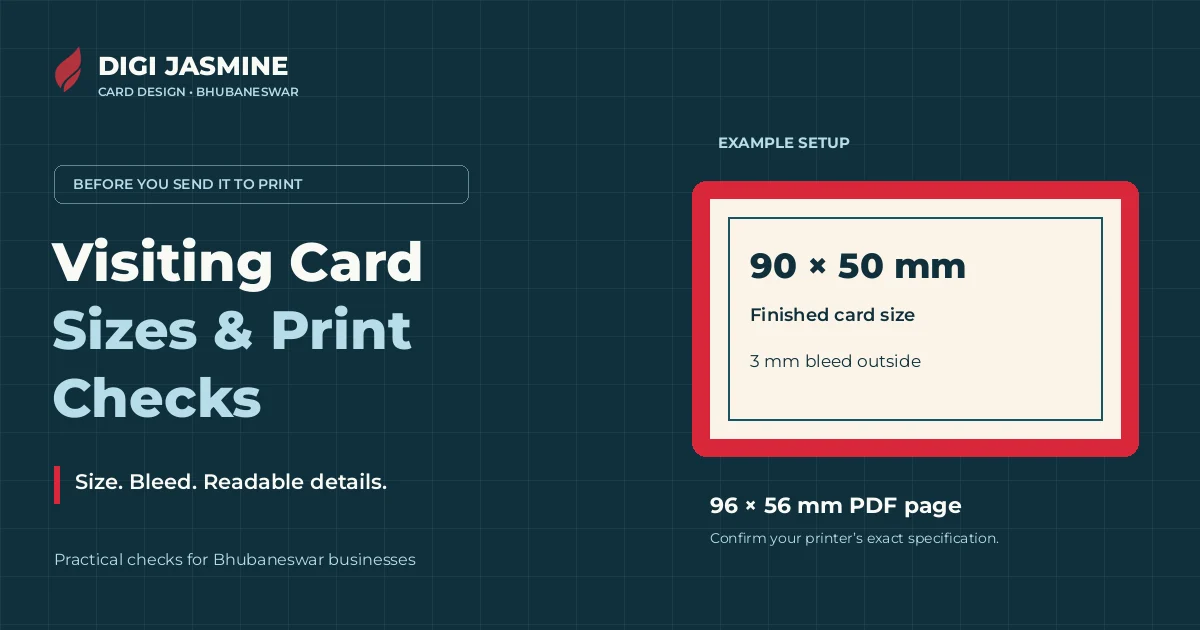
Before printing visiting cards in Bhubaneswar, ask your printer for the finished size, bleed, safe margin and PDF settings. There is no one size you should assume for every shop. A 90 × 50 mm card with 3 mm bleed needs a 96 × 56 mm PDF page, but that is an example, not a rule for every order.
- Agree the card's cut size before choosing or resizing a template.
- Bleed is background outside the cut. Safe margin protects text inside it.
- Check the exported PDF, not only the design on your screen.
- A checker score is useful evidence, not approval from your printer.
Which visiting card size should you use?
Start with the printer's specification, not the first template that looks attractive. Our checker includes the sizes below because it needs to compare a PDF with a chosen card size. That does not make any one of them the compulsory size for Bhubaneswar or India.
| Finished card | PDF page with 3 mm bleed | What to confirm |
|---|---|---|
| 85 × 55 mm | 91 × 61 mm | Your printer accepts this cut size. |
| 90 × 55 mm | 96 × 61 mm | The taller layout fits the agreed format. |
| 90 × 50 mm | 96 × 56 mm | Used for the sample in this article. |
| 3.5 × 2 inches (88.9 × 50.8 mm) | 94.9 × 56.8 mm | Use exact inches if that is what the printer requests. |
The arithmetic is simple: add the bleed twice to each dimension, once for each side. With 3 mm bleed, add 6 mm to the width and 6 mm to the height. Do not enlarge the finished artwork by a percentage; that also changes the text and spacing.
Bleed, trim and safe area are different
Trim is where the card is cut. Bleed is the extra background beyond that cut. Safe area is the space inside the cut where important details should stay.
If a red background ends exactly at the trim line, a slight shift during cutting can leave a white sliver. Extend that background into the bleed. Move the phone number the other way, farther inside the card. Adding bleed does not make text near the edge safer.
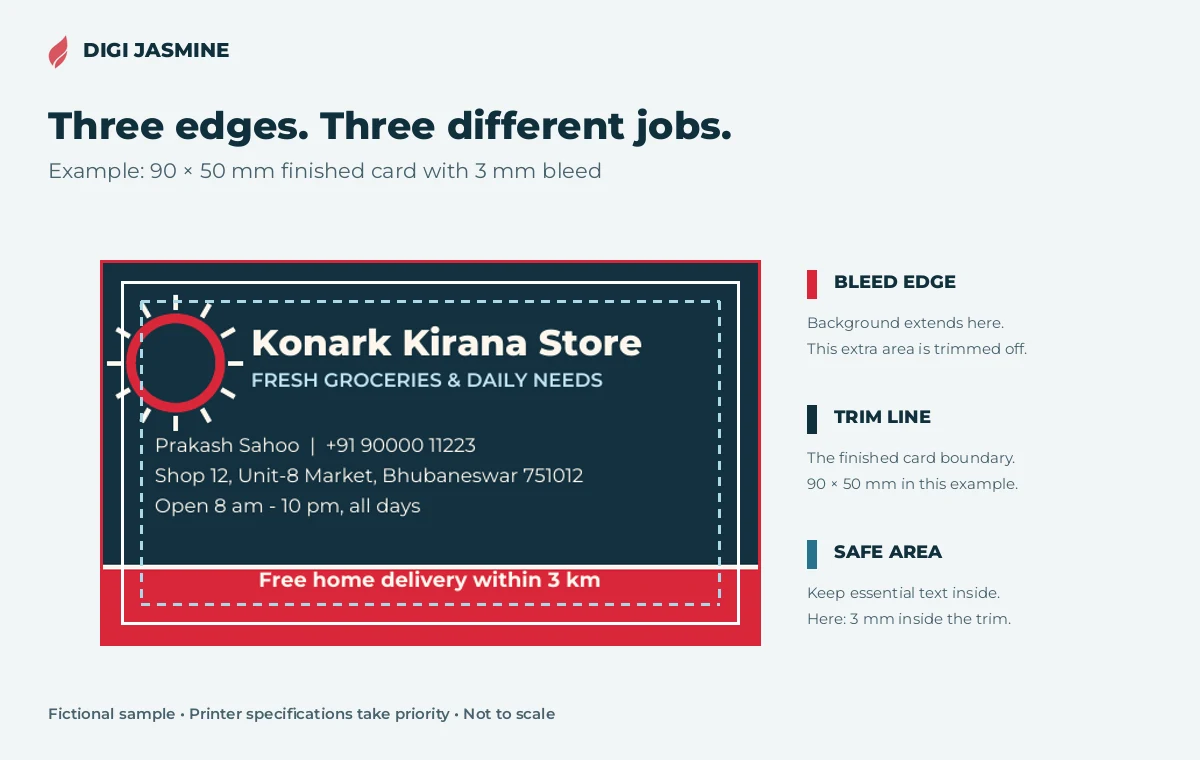
Adobe describes 3 mm as a typical bleed, while telling designers to verify the print provider's requirement. Our checker uses 3 mm inside the trim as its text-margin review threshold. Your printer may ask for more. Rounded corners or an unusual cut need their own specification.
A PDF's TrimBox and BleedBox can record those boundaries. They are useful measurements, but they do not prove that the background really reaches the bleed edge. Look at the artwork and ask for a proof.
Make the number easy to read on paper
For a shop in Saheed Nagar, a home service in Patia or a small business in Cuttack, the most valuable line may be the phone number. Give that line space before adding another slogan, social handle or list of services.
- Choose one main action. Call, WhatsApp, visit or scan. Make the relevant detail easy to find.
- Check the actual characters. Read the number digit by digit and the address word by word. A sharp PDF can still contain the wrong number.
- Test Odia and English at final size. Check letter shapes, line breaks and missing glyphs after export. A screen zoomed to 200% hides how small the printed text feels.
- Do not treat 7 pt as a design target. Our checker flags text below 7 pt for review. Passing that threshold does not mean everybody can read it comfortably.
Print a paper test at 100% scale with “fit to page” turned off. If a detail needs effort to read, enlarge it or remove something less useful. A test print checks readability; a printer's proof is still needed for the final stock and finish.
Explore card design ideas for Odisha businesses →Colour and images: ask for the right export
A bright colour on a backlit screen can change when printed. The checker reports colour data found in the PDF, including RGB, CMYK and spot colours. It does not simulate the printer's ink, paper or colour profile.
Ask the printer whether they want CMYK, which profile to use and whether they prefer to handle conversion themselves. Do not convert repeatedly or choose a profile at random just to remove an RGB note. For a colour-sensitive logo, discuss a physical proof.
For photos or raster logos, inspect the image-resolution findings at the final placed size. Enlarging a small image does not add detail. Text and vector artwork are different: if the checker finds no raster images, there is no photo resolution for it to measure. That is a note, not a missing-photo error.
A QR code needs a real-world test
A QR code should open one useful destination, such as your menu, map location, portfolio or WhatsApp chat. Add a short label so the reader knows why to scan it. Keep it away from the cut and avoid clutter around its clear border.
The checker can try to decode a QR code in the PDF and show the destination. Read that destination, then scan a printed test with a phone. A code that decodes from a clean file may still fail after poor printing, a reflective finish or being made too small. If there is no QR code in your design, a “no QR detected” note is not a reason to add one.
See QR card ideas and tested demos →Run the exported PDF through the checker
- Export the file you will send. Check both pages if the card is double-sided. Use the printer's requested settings.
- Open our free Business Card Print-Readiness Checker. It reads the PDF in your browser without uploading it to a server.
- Confirm the size and bleed. The tool distinguishes boundaries recorded in the file from suggested or manually chosen settings. A suggestion is not certain.
- Read the evidence, not only the score. Check the page dimensions, small text, text margins, colour notes, image findings and QR result where available.
- Fix the design and check the new PDF. Then send the file and agreed specification to the printer for approval.
Scanned or flattened PDFs can limit what a checker can read. A score cannot verify the phone number belongs to you, catch every spelling mistake, judge the design or guarantee the finished print. The printer's specification and proof remain the final checks.
What to confirm before visiting card printing in Bhubaneswar
Keep a short order note so the design file and print order describe the same job:
- Final cut size, orientation and whether both sides are printed.
- Bleed, safe margin and any rounded-corner requirement.
- Paper, thickness, finish and quantity, with a confirmed quote.
- Colour/export settings, and whether the printer wants crop marks.
- The exact approved PDF version, contact details and QR destination.
- Proof approval, collection or delivery timing, and the reprint policy.
The expensive mistake is approving a screen image while the printer receives a different PDF. Use a clear filename and review the exact file that will be printed. Do not add crop marks unless the printer asks; their workflow may already add them.
Need the card designed, not only checked?
Digi Jasmine offers visiting card design for businesses in Bhubaneswar, Cuttack and across Odisha, working online. If your card feels crowded, the logo is unclear or the details do not fit, a checker can point to some problems but cannot redesign the layout for you.
Send your business name, the details you want on the card and the printer's size and bleed specification. We can discuss the layout and deliverables before work starts. Design and printing are separate decisions; confirm printing costs and production terms with your printer.
Ask about a visiting card on WhatsAppSee the graphic design service →Common questions
What is the standard visiting card size in Bhubaneswar?
Do not assume a single mandatory size. The checker supports 85 × 55 mm, 90 × 55 mm, 90 × 50 mm, 3.5 × 2 inches and custom sizes. Ask the printer for the finished cut size before designing.
What PDF size do I need for a 90 × 50 mm card with 3 mm bleed?
96 × 56 mm, if there is 3 mm bleed on all four sides and no extra area for printer's marks. The finished card remains 90 × 50 mm. Ask how the printer wants the PDF exported.
Is 3 mm bleed compulsory for every visiting card?
No. It is a typical setup, not a universal rule. Use the bleed, safe margin and export settings specified by the printer handling your order.
Does a 100% checker score mean the card is ready to print?
It means the measurable checks included in that result passed. It does not approve colour on paper, spelling, contact details, design quality or the printer's production requirements.
Can I use Odia and English on the same card?
Yes. Choose the language mix for your customers, allow enough space and check that the PDF preserves every character. Read a full-size print test rather than judging only from a zoomed screen.
How much does visiting card design cost in Bhubaneswar?
The quote depends on the work, such as one or two sides, whether a usable logo exists and which files you need. Message Digi Jasmine with the details for a current design quote. Confirm printing separately.
Sources and checks
Checked 9 November 2026. Technical references: Adobe: setting a print bleed; Adobe: bleed and slug areas; the live Digi Jasmine card checker and its sample test. Requirements vary by printer. Found an error? Contact Digi Jasmine.